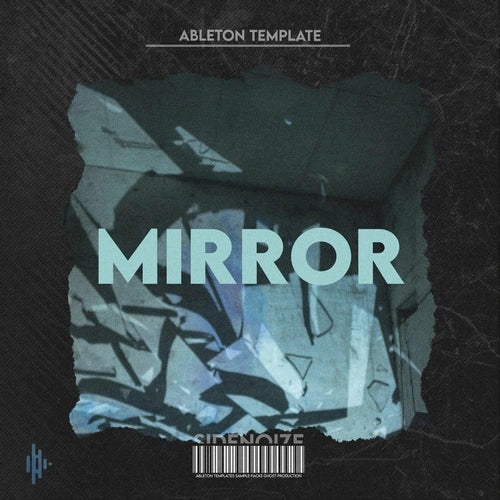
Mirror
"Mirror" is a melodic techno ableton live project, designed to take listeners on an immersive sonic journey. With deep, pulsating basslines, ethereal synth melodies, and driving rhythmic patterns, this track creates a hypnotic blend of atmospheric soundscapes and forward-thinking beats. Perfect for fans of underground electronic music, "Mirror" showcases the dynamic range of melodic techno, balancing darker, introspective elements with uplifting, emotional highs.
Sidenoize’s production techniques shine through in this project, offering intricate sound design, evolving textures, and a seamless fusion of digital and analog elements. The track gradually builds tension through carefully layered synths, reverberating leads, and sharp percussion, making it ideal for both club settings and personal listening experiences.
Whether you're looking for inspiration for your own productions or simply appreciate well-crafted techno music, "Mirror" invites you into a world of sonic exploration. Ableton users will find this project rich in detail, allowing them to dive deep into the nuances of sound manipulation and arrangement.
Learn more
Product specification
?
Why Using Ableton Templates


Using templates in Ableton can really change the way you make music. Instead of wasting time setting up tracks, routing, and loading your favorite plugins every time, you can just open a template and start creating right away. It keeps you in the flow, which is super important when inspiration hits.
Templates also help you stay organized — you can have one for mixing, one for producing beats, or even one for live performance. It’s like having your studio already prepared exactly how you like it. On top of that, they make your workflow more consistent, so your projects sound tighter and more professional.
Using templates also helps you build a consistent sound across your tracks. Having the same routing, effects, and instrument chains can make your music feel more cohesive and professional.
FAQ
Everything You Need to Know Before You Buy
What payment methods do you accept?
We accept payments through Stripe and PayPal, two of the most trusted and secure platforms in the world. Your personal and payment information is fully encrypted and protected during checkout.
Are your products royalty-free?
Yes! All samples included in our packs are 100% royalty-free, which means you can use them in your commercial releases. Templates are intended for educational and creative use — we recommend modifying them before releasing any track made with them.
How will I receive my purchase?
Right after completing your payment, you will receive an email with a download link. All products are delivered as .zip files containing project files and samples.
Do you accept returns or refunds?
Due to the nature of digital downloads, all sales are final. However, if you encounter a technical issue or are unsatisfied for any reason, please contact us — we’re happy to help and find a solution.
Can I resell or share your products?
No. All products are licensed for personal use only. Redistribution, resale, or sharing of our content is strictly prohibited and violates our terms of use.
Looking for more project files? Browse our full collection of Ableton templates.